
From the meter to your screen
Three parts that work together: a small gateway next to your meter, a console in your browser, and an app that sets it all up.
The gateway
A compact unit that sits in your electrical panel, reads your meters and sends the data over your Wi-Fi.
- Mounting
- DIN rail, inside your panel
- Meters
- RS485, Modbus RTU energy meters
- Network
- Wi-Fi, 2.4 GHz
- Connection
- Encrypted (MQTT over TLS)
- Read interval
- Every 30 seconds
- Setup
- Bluetooth, with the XNRG app
- Updates
- Automatic, with rollback if an update fails
The console
Your data at app.xnrg.in. Nothing to install.
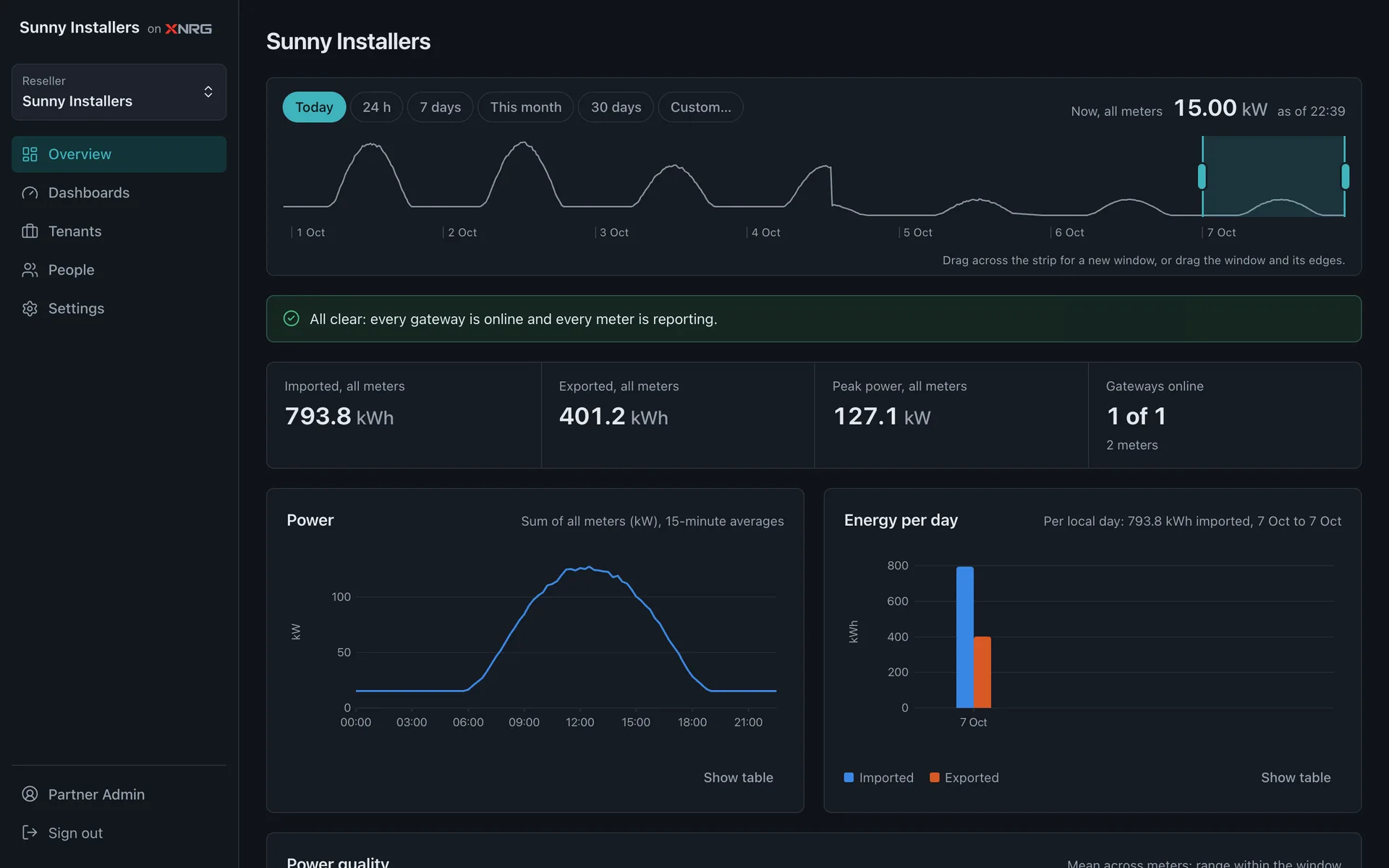
See every site at a glance
Live power, energy imported and exported, peak demand and which gateways are online.
- Today, 7 days, this month or a custom range
- One view per partner, customer or site
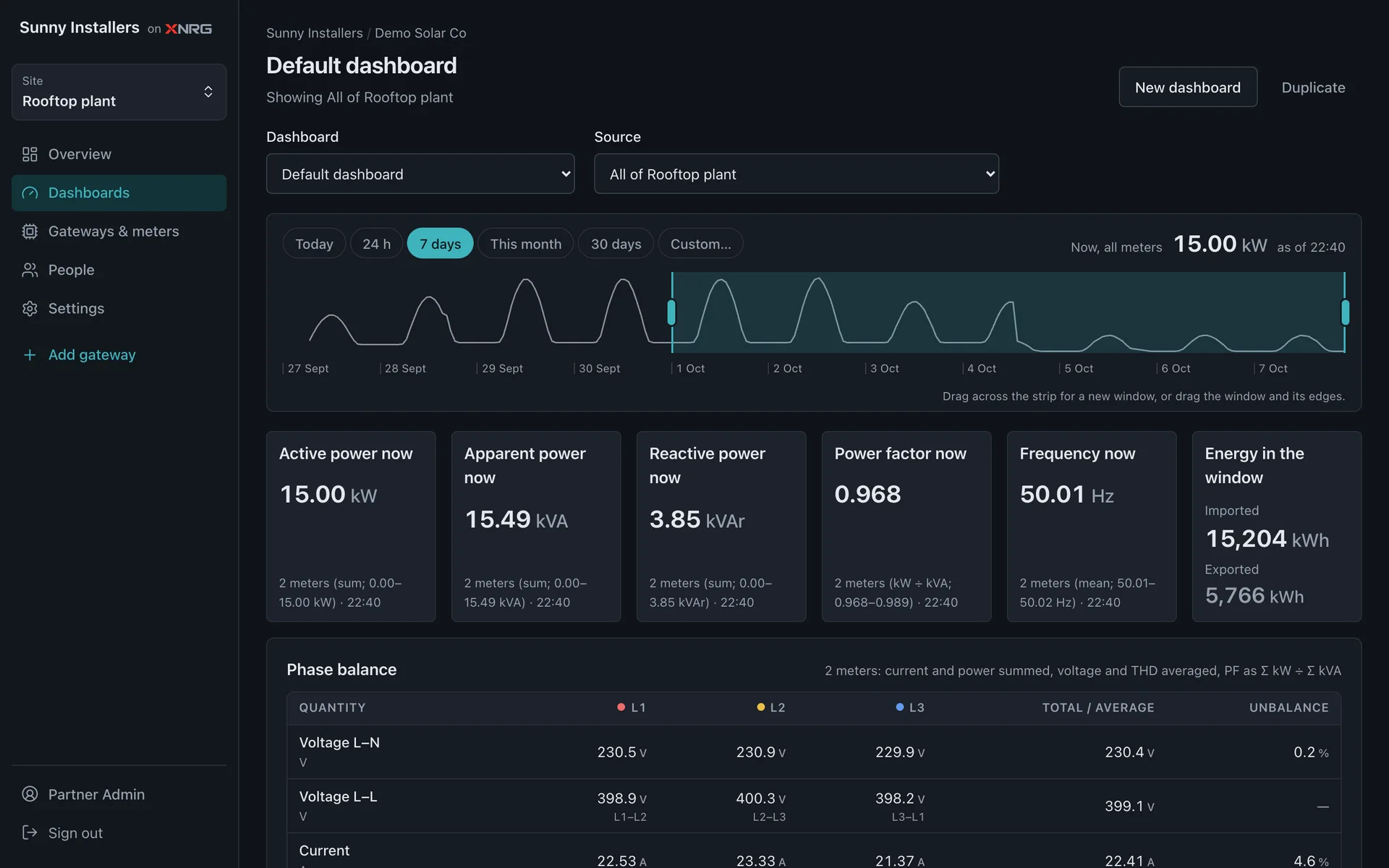
Dig into one meter
Phase-by-phase voltage, current, power, power factor and harmonics, with charts for any time range.
- Make dashboards with the values you care about
- Change meter settings remotely
The app
Add a gateway to a site in a few minutes with the XNRG app for Android. Sign in, then follow four screens.
Step 1
Scan the label
Point the camera at the QR label on the gateway.
Step 2
Pick the site
Choose where the gateway lives and give it a name.
Step 3
Join Wi-Fi
Select the network. The password goes only to the gateway.
Step 4
Online
The gateway shows up in your console within a minute.
The app uses the camera only to read the label, and Bluetooth only to set up the gateway. Read how the app handles your data.
Ready to see your numbers?
Tell us about your sites and meters. We'll help you get the first gateway online.